Knows what every agent is doing
Termi reads the screen of each tab. A mascot walks while the agent works. The tab turns yellow when it needs you, and green when it's done. Glance down, not around.
working needs you done

Termi watches Claude, Codex, Grok and Cursor so you don't have to. Every agent gets a mascot. Every tab tells you when it needs you. And there's no chrome in the way.
Free and open source · Apple silicon · macOS 11+
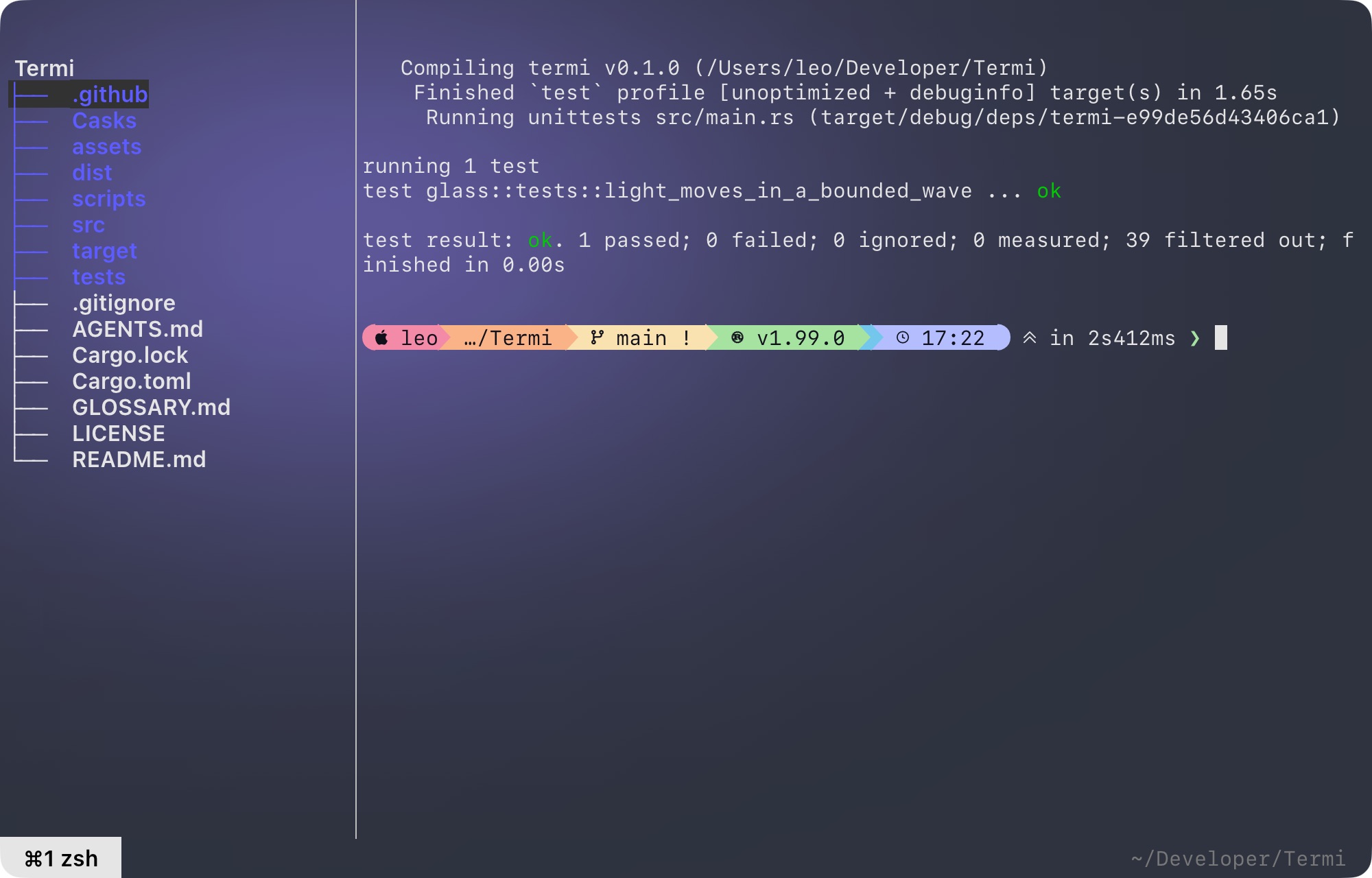
Glass mode
Native macOS blur, translucent glass and a violet light that moves in a slow wave. Choose wave, still or off in ⌘,.
Detects the agents you already use
 ▐▛███▜▌
▝▜█████▛▘
  ▘▘ ▝▝
Claude Code idle
█▙▖
 ▝██
█▛▘ ▄▄▄
Codex idle
 ▄▀▀▀▄ ▞
█  ▞  █
▞▀▄▄▄▀
Grok idle
 ▗▟▀▀▙▖
 ▐▓▓░░▌
 ▝▜▄▄▛▘
Cursor idle
Features
Termi reads the screen of each tab. A mascot walks while the agent works. The tab turns yellow when it needs you, and green when it's done. Glance down, not around.
❯ hover this card
No title bar, no toolbar. Traffic lights appear only when you reach for the top edge.
> review
⌘B opens a file tree. Drop a file on the prompt and it lands as @path. Try it.
Open a file, click a line number, leave a note. ⌘↵ hands every note to the agent as one review prompt, each with the code it's about. Click a line number to try it.
src/agent.rs
Four themes, one file: ~/.config/termi/settings. ⌘, edits it with the arrow keys.
14MB
Rust · alacritty_terminal · egui
No Electron, no runtime. Built on alacritty's terminal core and drawn on the GPU.
Every tab has a number, always on the status line. You'll never reach for the mouse.
Hooks
Detection works out of the box from each tab's foreground process.
For certainty, any hook can write idle,
working or input to
$TERMI_STATE_DIR/$TERMI_TAB. Here's Claude Code.
{
  "hooks": {
    "UserPromptSubmit": [{ "hooks": [{ "type": "command",
      "command": "[ -n \"$TERMI_TAB\" ] && echo working > \"$TERMI_STATE_DIR/$TERMI_TAB\" || true" }] }],
    "Notification": [{ "hooks": [{ "type": "command",
      "command": "[ -n \"$TERMI_TAB\" ] && echo input > \"$TERMI_STATE_DIR/$TERMI_TAB\" || true" }] }],
    "Stop": [{ "hooks": [{ "type": "command",
      "command": "[ -n \"$TERMI_TAB\" ] && echo idle > \"$TERMI_STATE_DIR/$TERMI_TAB\" || true" }] }]
  }
}